Quantiva Studio Loading workspace
Quantiva Studio studio.quantiva.trade

Strategy research for TradingView & MetaTrader 5

Optimize and validate Quantiva strategies before you use them.

Choose an available Quantiva strategy, explore compatible parameter ranges, run backtests with every assumption attached and compare candidates in one research workspace.
Transparent assumptions Trade-level analysis No profit guarantees
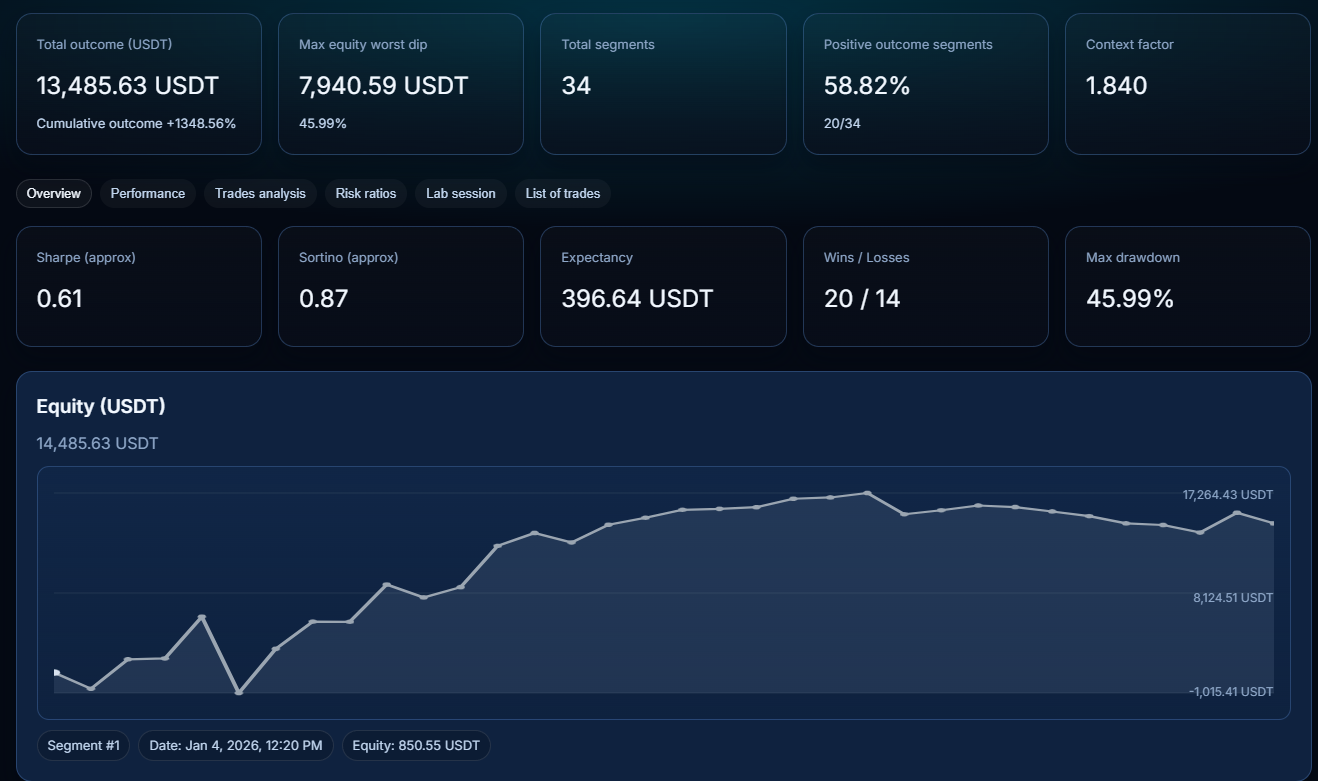
Sample Quantiva backtesting report with metrics and equity curve
Sample historical research report. Results are not a profit guarantee.
Candidate configurationsSearch with guardrailsOnly compatible parameters
Reproducible backtestsAssumptions attachedCapital, fees, slippage and data
Trade-level analysisDecision contextChart, trades, report and export flow
Sample workspace

A read-only research result a client can inspect before registering.

The sample shows the actual buying decision Studio should support: pick a strategy, compare a candidate, inspect risk and reject fragile setups before moving anything to TradingView or MetaTrader 5.

View sample report
StrategyQV3 · BTCUSDT · 10mTradingView-compatible setup
Candidate statusNeeds reviewDrawdown and sample size checked
AssumptionsCapital · fees · slippageVisible before the report
Next actionAnalyze tradesReview entries, exits and regimes
01 · Workflow

One workflow from strategy choice to tested setup.

  1. Choose strategySelect an available Quantiva family, symbol, market and timeframe.
  2. Optimize configurationsSearch compatible parameter ranges without inventing unsupported rules.
  3. Backtest and compareReview assumptions, equity, drawdown, trades and candidate status before use.
02 · Product

A quantitative workspace for available Quantiva strategies.

Quantiva Studio researches, optimizes, compares and validates configurations before you transfer the selected setup into a supported TradingView or MetaTrader 5 workflow.

03 · Strategy Lab

Search configurations with guardrails.

Studio works inside the parameter contract of each strategy family. The result is a candidate configuration, not a promise of future profitability.

04 · Who it is for

Built for serious strategy work.

Strategy buildersTurn ideas into tested configurations with clearer performance context.
Advanced tradersCompare setups before committing time, attention or capital.
Trading teamsKeep assumptions, runs and reports organized across strategy work.
05 · Proof workspace

Signals, assumptions and chart context in one view.

Inspect the selected market, timeframe, candle model, active strategy, entries and exits before moving deeper into backtesting and analysis. The chart module is part of the Studio shell.
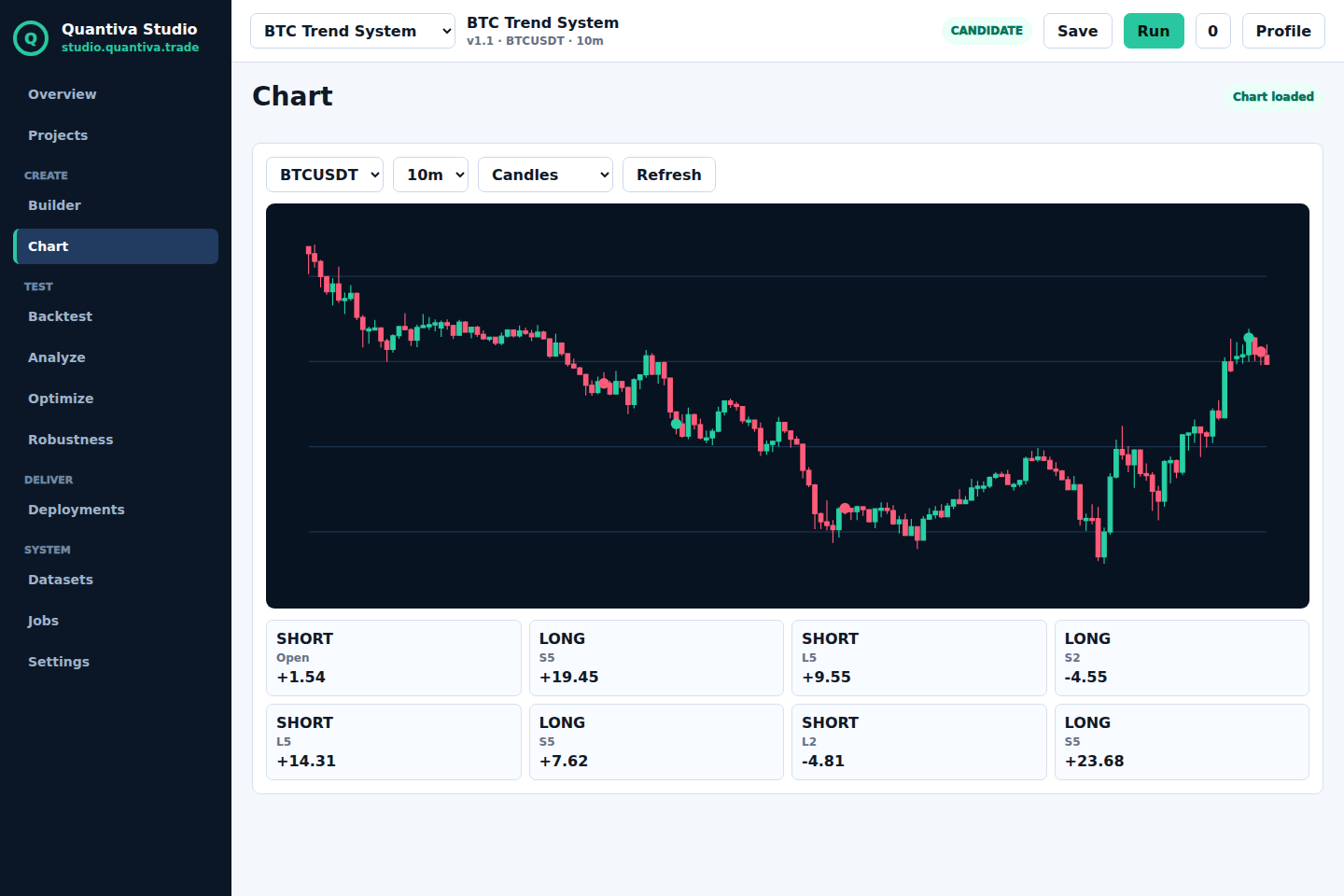
Clean Quantiva chart workspace with signals and strategy context
06 · Backtesting

Reports that show more than the win rate.

Review outcome, drawdown, expectancy, profit factor, equity and trade list with the assumptions attached to the run.

Real backtesting screen with metrics and equity
Sample report

A report must explain the denominator, not only the result.

Every backtest result should carry the inputs needed to reproduce it: capital, sizing, commissions, spread, slippage, fill model, market, symbol, timeframe, candle model, period, timezone, warm-up, dataset and strategy version.

ExecutionStandard OHLC fillsSignal candle and fill source are separated.
CostsFees, spread and slippageMissing assumptions are shown explicitly.
DataDataset and periodEvery run is tied to its source and version.
DecisionCandidate statusHigh-risk setups can be rejected.
07 · Trade analysis

Understand where a setup works, fails and degrades.

Study winning and losing segments, entry quality, late entries, symbol behavior and calendar performance before deciding how to use a setup.
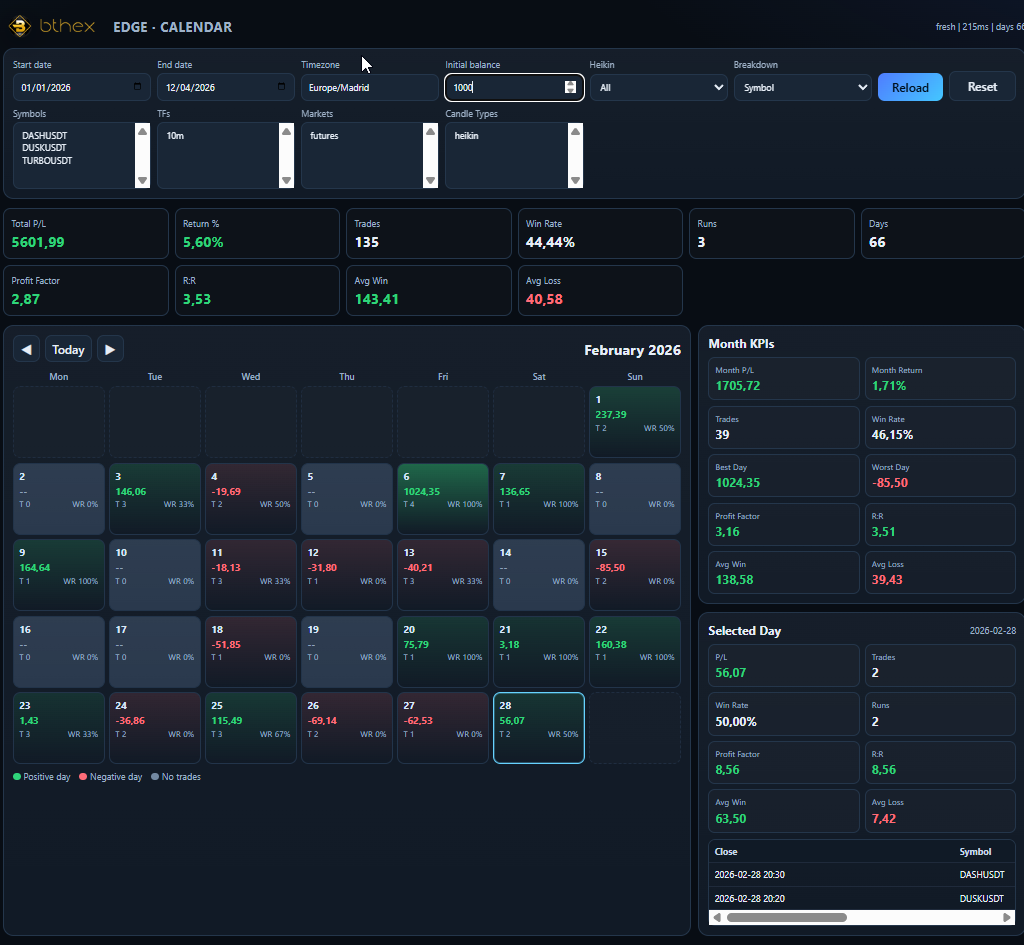
Real Quantiva trade analysis screen
08 · Platforms

TradingView and MetaTrader 5 workflows.

Use Studio to research and prepare setups for TradingView or MetaTrader 5. Market data, supported timeframes and strategy availability depend on the selected workspace.

09 · Credits and plans

Research capacity should be visible before checkout.

Plans should explain what consumes credits, what happens when a job fails, which exports are included and which limits apply to each workspace.

Plans

A clear path from sample research to professional use.

Final pricing depends on compute, storage, market data and support cost, but the offer should be understandable before a client books a call.

SampleRead-only workspacePublic report, fixed strategy and no card required.
ResearchPersonal projectsMonthly credits, backtests, analysis and saved setups.
ProMore capacityComparisons, reports, exports and higher run limits.
DeskTeam workspaceAdditional users, priority support and larger limits.
10 · Private access

Use the sample first, then request a private walkthrough.

Quantiva Studio is currently a controlled research workspace. The sample should prove the workflow before a client has to explain a desk, company or trading objective.

Sample workspace first TradingView or MetaTrader 5 Historical research only

11 · FAQ and trust

Frequently asked questions.

Can Studio create any indicator or strategy?

No. Studio works with available Quantiva strategy families and the compatible options for each one.

Which platforms are supported?

TradingView and MetaTrader 5, depending on the selected strategy workspace.

What is Strategy Lab?

It is the workspace where Studio searches, compares and applies candidate setups allowed by the selected strategy.

How do I use a setup after testing it?

Studio helps you understand the configuration and the historical report so you can decide how it fits your TradingView or MetaTrader 5 workflow.

Are results examples?

Public screenshots are sample historical research views. Inside Studio, reports are calculated with the assumptions attached to each run.

Does AI create new rules?

AI guides the process and works with available strategies and parameters; it does not add unsupported indicators.

Does Studio guarantee profits?

No. It is a research, testing and analysis tool; historical results do not guarantee future results.

Quantiva Studio studio.quantiva.trade