
Quantiva Studio
Loading workspace
Quantiva Studio
studio.quantiva.trade
Strategy research for TradingView & MetaTrader 5
Choose an available Quantiva strategy, explore compatible parameter ranges, run backtests with every assumption attached and compare candidates in one research workspace.
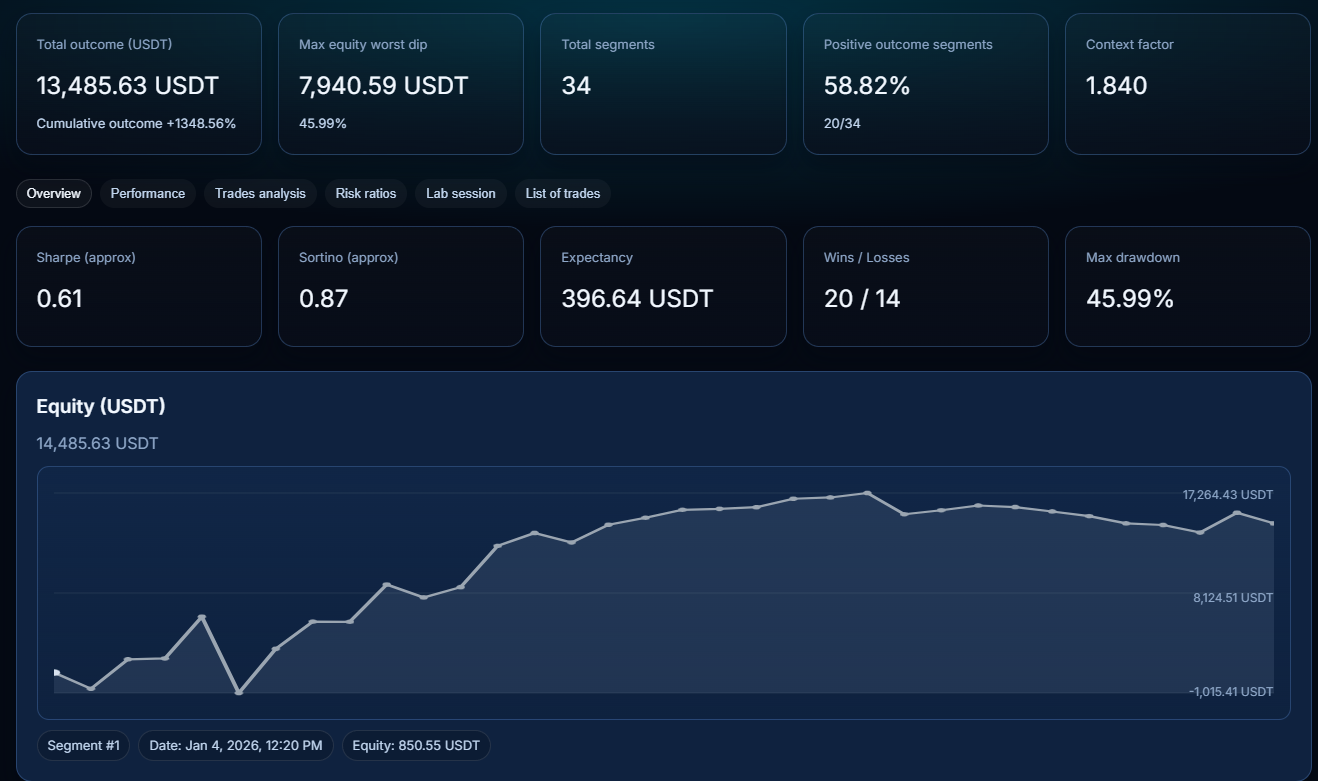
The sample shows the actual buying decision Studio should support: pick a strategy, compare a candidate, inspect risk and reject fragile setups before moving anything to TradingView or MetaTrader 5.
Quantiva Studio researches, optimizes, compares and validates configurations before you transfer the selected setup into a supported TradingView or MetaTrader 5 workflow.
Studio works inside the parameter contract of each strategy family. The result is a candidate configuration, not a promise of future profitability.
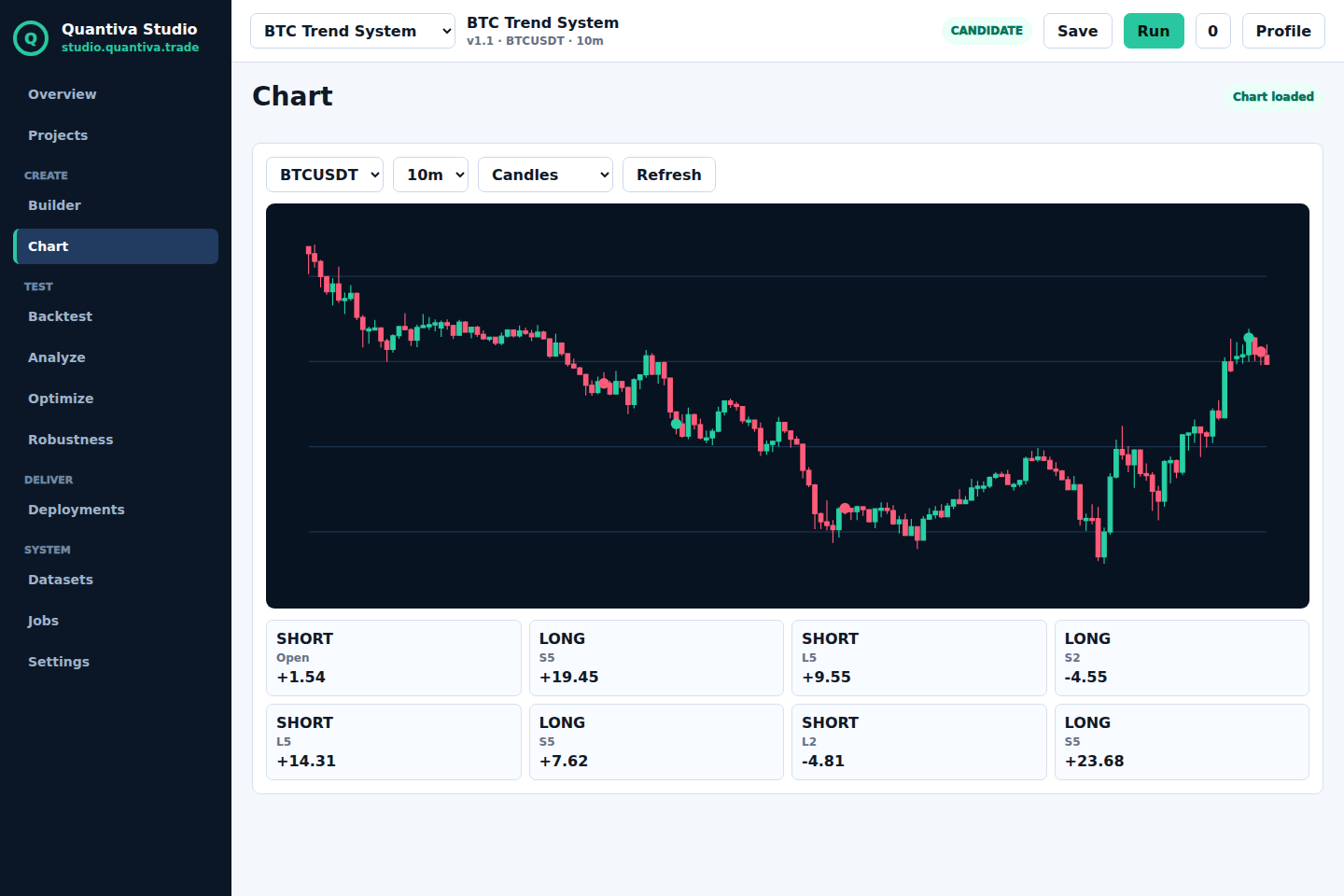
Inspect the selected market, timeframe, candle model, active strategy, entries and exits before moving deeper into backtesting and analysis. The chart module is part of the Studio shell.
Review outcome, drawdown, expectancy, profit factor, equity and trade list with the assumptions attached to the run.
Every backtest result should carry the inputs needed to reproduce it: capital, sizing, commissions, spread, slippage, fill model, market, symbol, timeframe, candle model, period, timezone, warm-up, dataset and strategy version.
Study winning and losing segments, entry quality, late entries, symbol behavior and calendar performance before deciding how to use a setup.
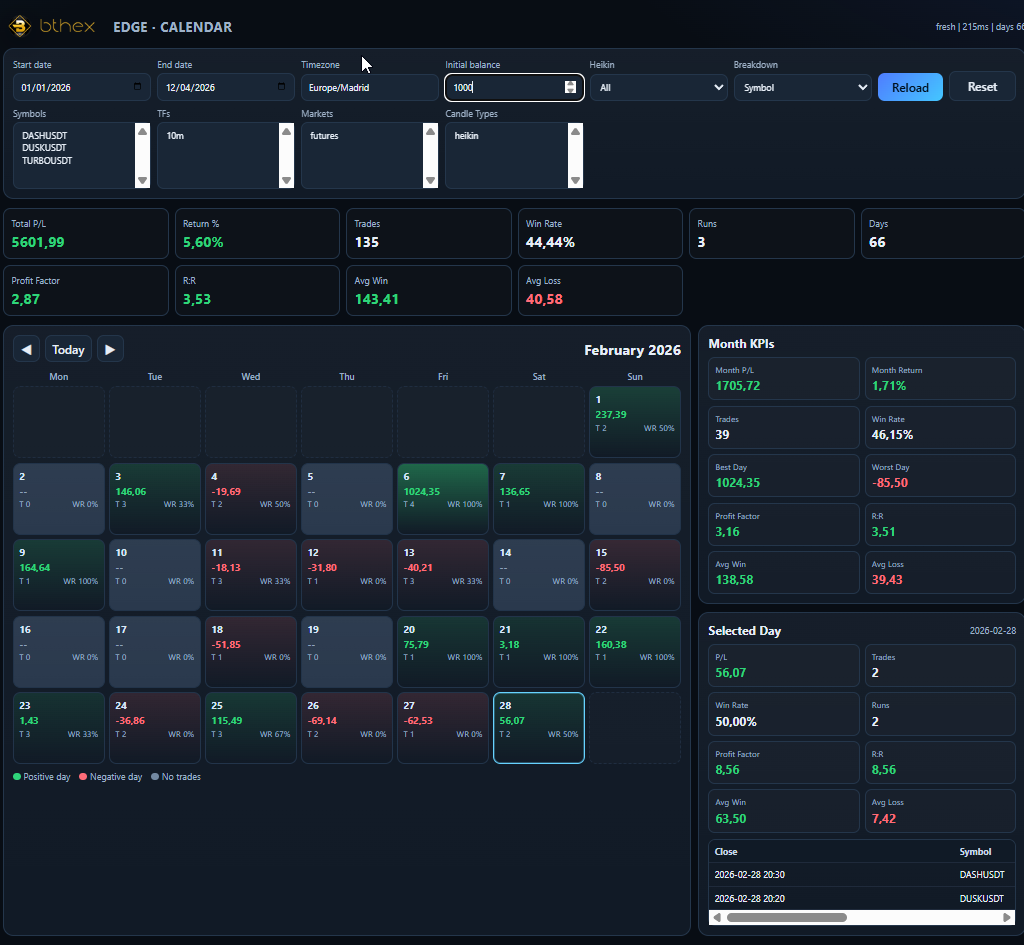
Use Studio to research and prepare setups for TradingView or MetaTrader 5. Market data, supported timeframes and strategy availability depend on the selected workspace.
Plans should explain what consumes credits, what happens when a job fails, which exports are included and which limits apply to each workspace.
Final pricing depends on compute, storage, market data and support cost, but the offer should be understandable before a client books a call.
Quantiva Studio is currently a controlled research workspace. The sample should prove the workflow before a client has to explain a desk, company or trading objective.
No. Studio works with available Quantiva strategy families and the compatible options for each one.
TradingView and MetaTrader 5, depending on the selected strategy workspace.
It is the workspace where Studio searches, compares and applies candidate setups allowed by the selected strategy.
Studio helps you understand the configuration and the historical report so you can decide how it fits your TradingView or MetaTrader 5 workflow.
Public screenshots are sample historical research views. Inside Studio, reports are calculated with the assumptions attached to each run.
AI guides the process and works with available strategies and parameters; it does not add unsupported indicators.
No. It is a research, testing and analysis tool; historical results do not guarantee future results.